Quick Start Tutorial
Get up and running with DD Tailors in just 15 minutes! This tutorial will walk you through the essential steps to start managing your tailoring business.
5 Minutes: Initial Setup
Start by completing your store profile to establish your business presence in DD Tailors:
- Navigate to Settings - Click on the settings icon in your dashboard
- Go to Store Settings - Update your business information
- Enter Store Name - Your tailoring business name
- Add Address - Your complete business address
- Set Phone & Email - Customer contact details
- Upload Logo - Add your business logo for invoices
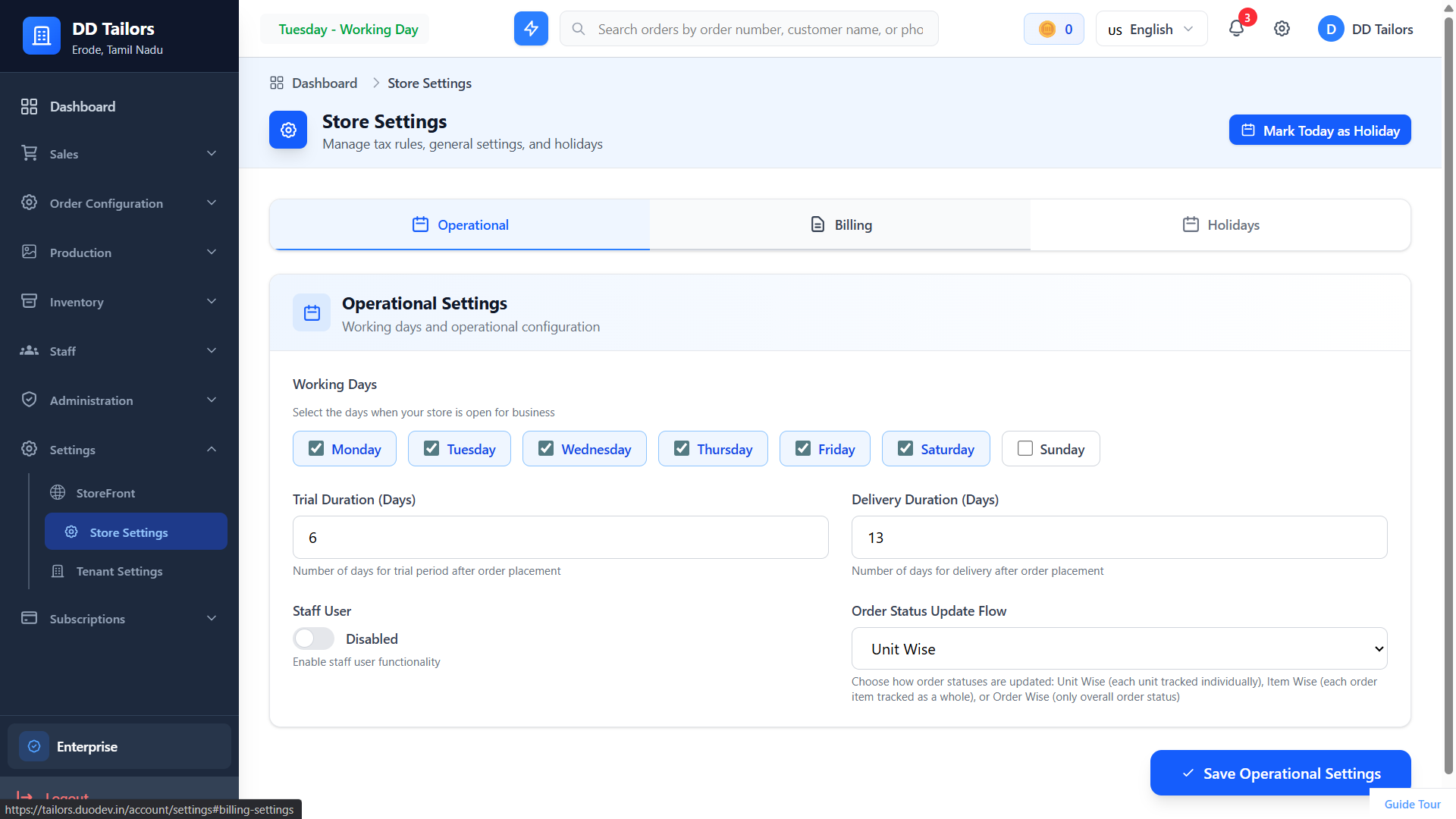
Store settings form
5 Minutes: Add Your First Customer
Create a customer profile for your first client:
- Go to Customers - Navigate to the Customers section from the main menu
- Click "Add New Customer" - Click the blue button in the top right
-
Enter Basic Information:
- Full Name
- Phone Number
- Email (optional)
- Address
-
Add a Family Member - Add yourself or a family member for measurements:
- Name and relationship
- Gender
- Click "Save Customer" - Your customer is now in the system!
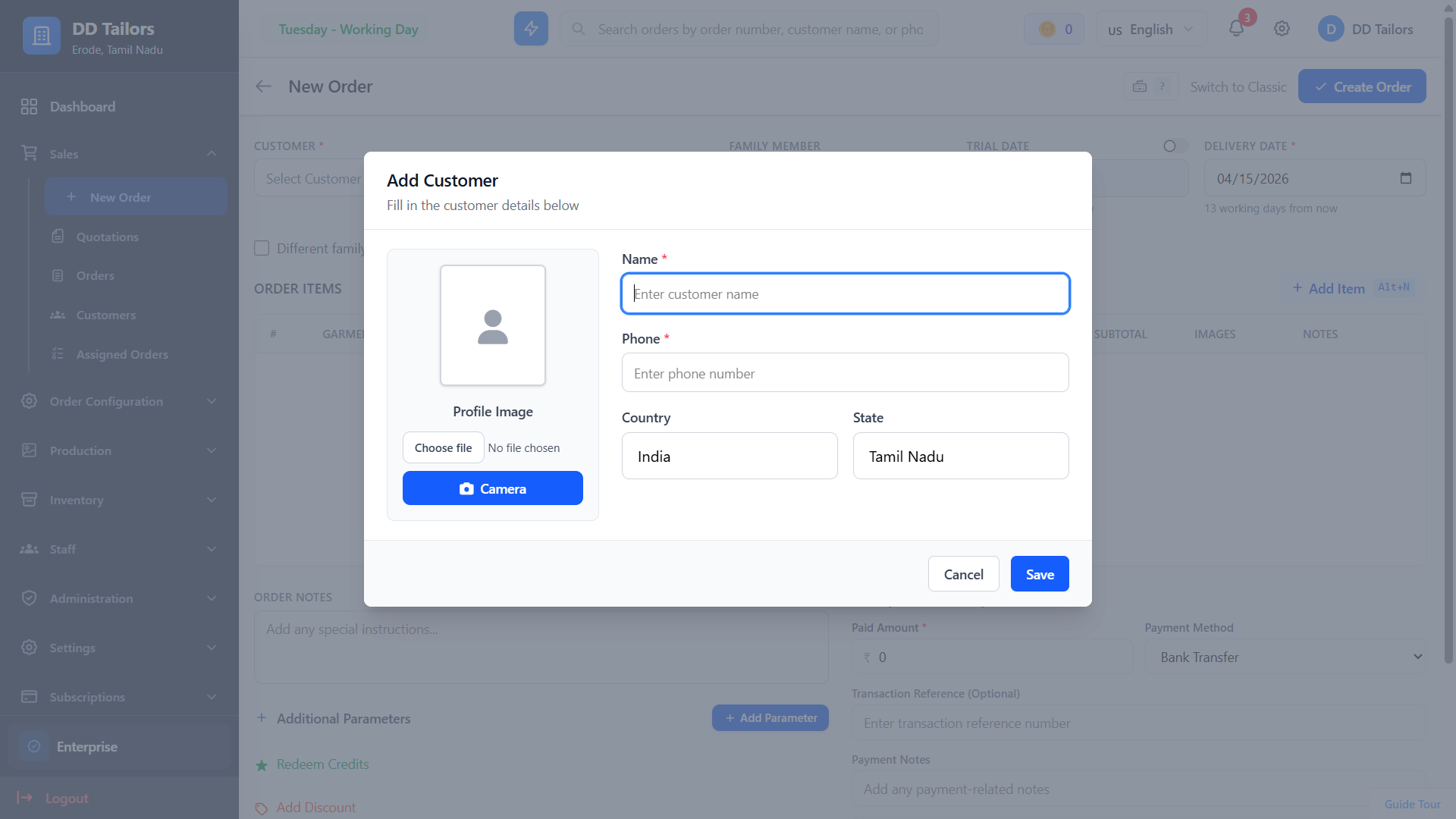
Customer creation form with family member
Pro Tip
Measurements are stored at the family member level. You can add measurements to family members later when creating orders.
5 Minutes: Create Your First Order
Create an order for your new customer:
- Go to Orders - Click on the Orders menu item
- Click "New Order" - Start creating a new order
- Select Customer - Choose the customer you just created
- Select Family Member - Choose whose order this is for
-
Add Order Items:
- Garment Type (Shirt, Pant, Dress, etc.)
- Description and specifications
- Price
- Quantity
- Set Delivery Date - When the order should be ready
- Add Notes (Optional) - Special instructions or preferences
- Click "Create Order" - Your order is now in the system!
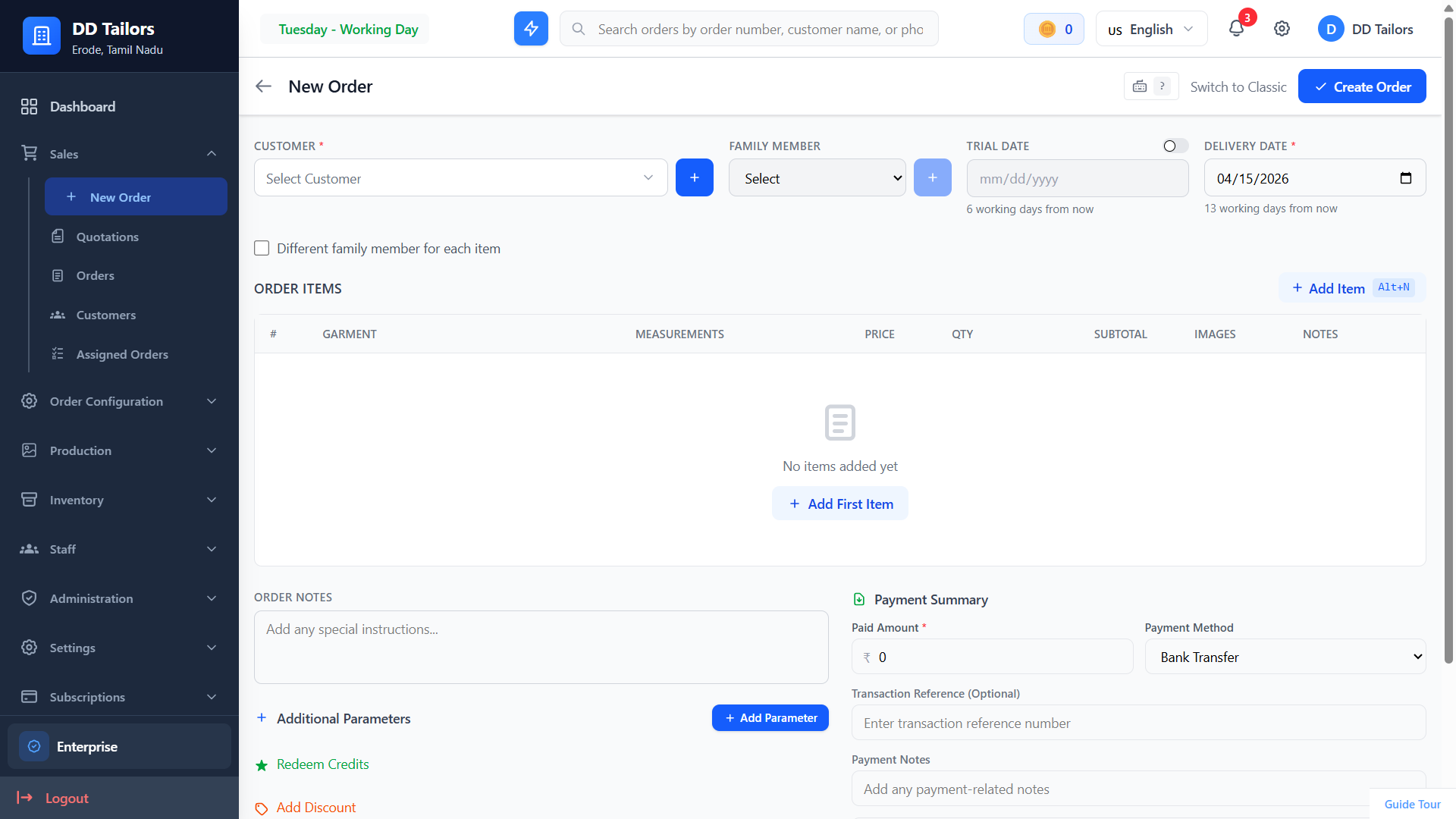
Order creation form
Congratulations!
You've completed the quick start tutorial!
You now know how to:
- Set up your store profile
- Add customers to the system
- Create orders for your customers
What's Next?
Now that you understand the basics, explore these features:
Frequently Asked Questions
Can I add measurements later?
Yes! You don't need to add measurements during the quick start. You can add them to a family member's profile anytime before or when creating an order.
How do I modify an order?
Click on any order to view its details. You can edit most order information by clicking the edit button, but some details may be locked once the order is in progress.
Where do I find more help?
Check out our detailed documentation guides or contact our support team for personalized assistance.
Need more help? Explore our complete documentation or visit our support page.
15 min read
Duo Dev Technologies